Mediasite

Year
2025
Company / Brand
Mediasite
Role
Design Director
Sector
Education, Content Management Systems
Mediasite is an enterprise-grade video content management system (VCMS). It is the platform of choice for universities and large corporations that need to record, securely host, and organize thousands of hours of video content.
It is a leading video content management solution utilized by corporations and universities globally. It offers organizations the necessary tools to efficiently capture, organize, and present high-quality video resources, serving as the central hub for video learning and communication.
In 2025, the product team worked on a host of different product upgrades to improve the overall user interface, features and the user experience of common user flows, like managing and accessing content. In this case study, I'll address some of the notable updates.
1 - User interface redesign
The Mediasite application was in urgent need of a user interface (UI) overhaul. The existing UI, which has been in production for many years looked dated and lacked good user experience. To address these critical issues, the team initiated a structured process.
We started with user feedback interviews - In-depth interviews were conducted with two existing clients. This step was crucial for identifying key pain points in usability and gaining perspective on feature upgrades that would best drive product growth. The team then began began creating initial wireframes to visualize the new layout and core UI elements.
Lastly, validation: A follow-up feedback session was held with the user group. This early validation step ensured that the design team was on the right track with the proposed evolution of the product interface.
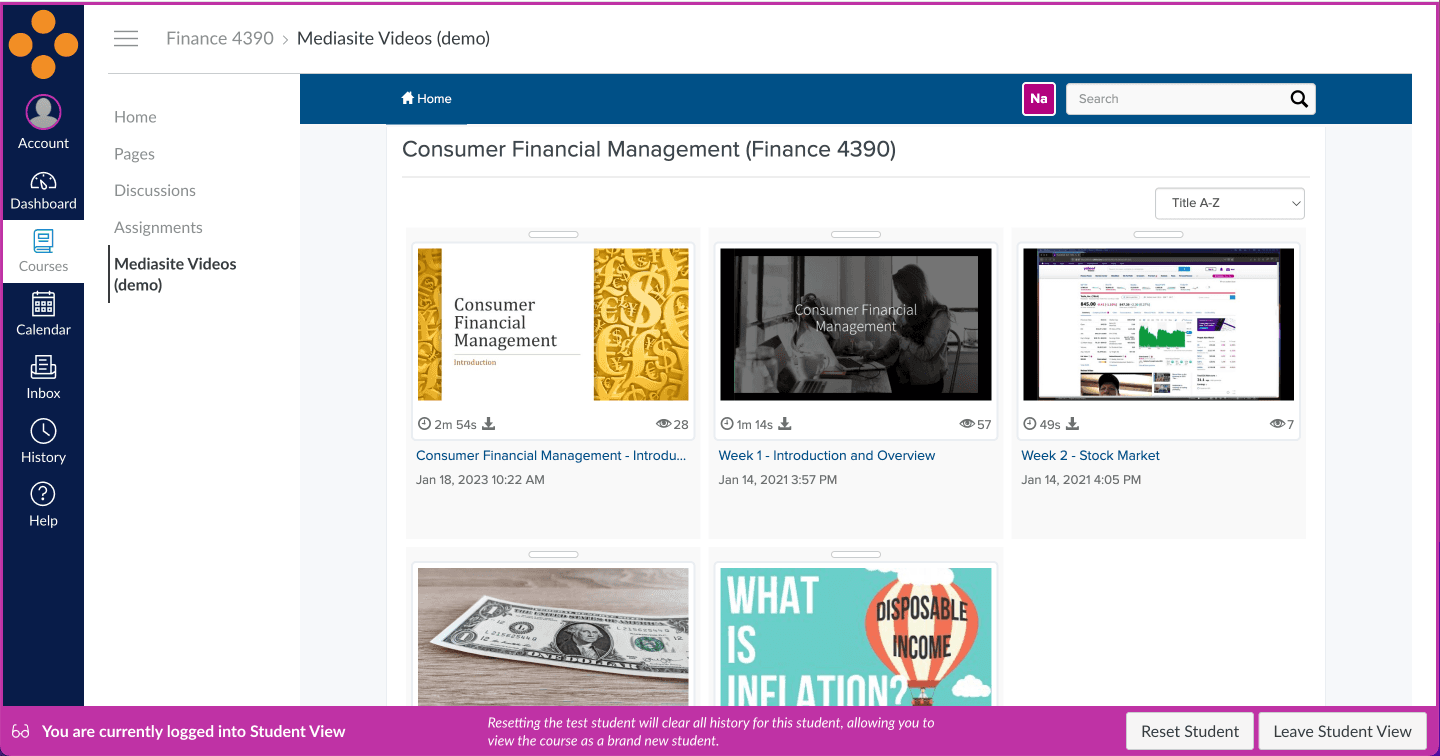
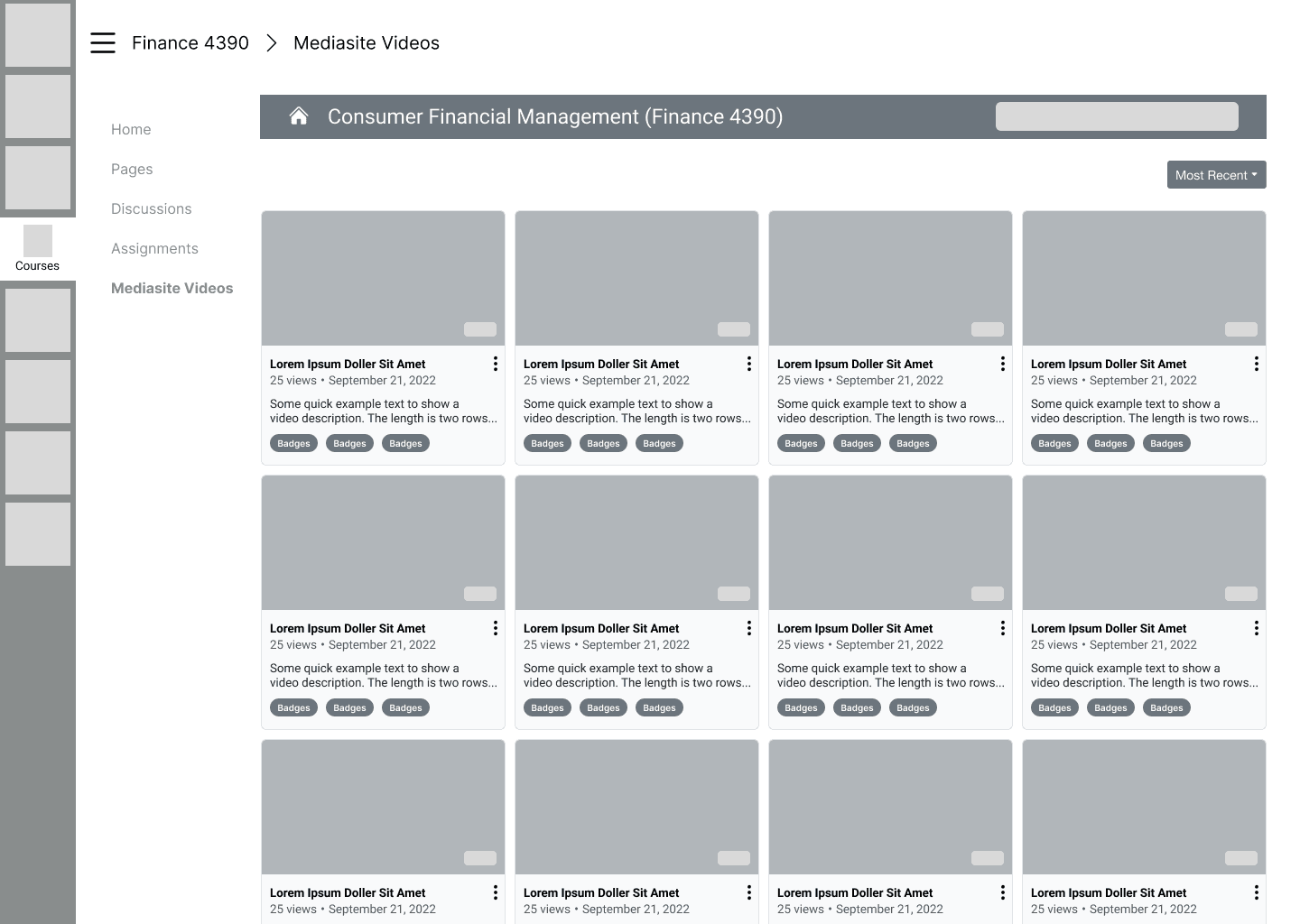
Thumbnails were improved with labels to display when a video / presentation are public, offline or archived.

'Key Moments' in Search
A new feature was introduced to help users find moments in videos. Based on the YouTube feature, Mediasite introduced 'key moments' as a new feature displayed in in Search results to help users better scan through longer videos and find key subjects within a video.


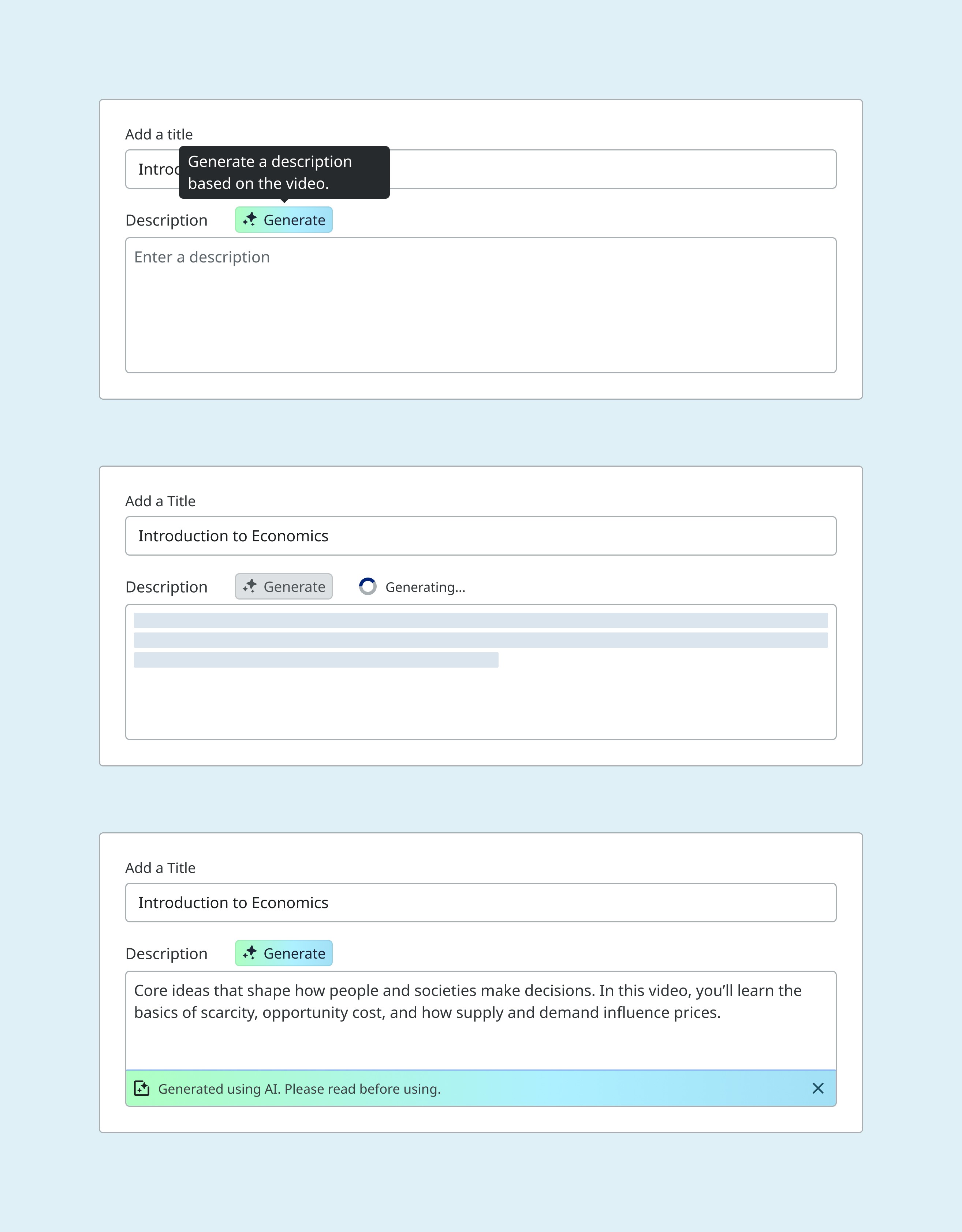
AI generated descriptions
Another new feature launched AI-generated descriptions for Videos. Each video will have a Generate button present next to the Description label on the Text area.
This is one of the first AI featured offering as users communicated that they didn't enjoy creating descriptions for content. This will help with that and massively improve the upload process.